


Controls at your cursor
Play, pause, and skip without leaving what you're doing. A seek bar shows your place and lets you jump anywhere in the track.
A tiny widget that shows and controls whatever you're playing - any app - and recolors itself to match the album art. No login. No setup.
Free for Windows 10 & 11 · No account required



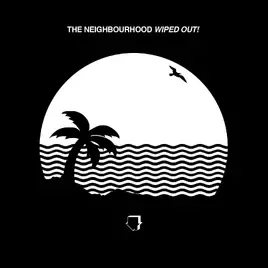
And nothing you don't. No account, no clutter - it just lives quietly on your desktop.
Play, pause, and skip without leaving what you're doing. A seek bar shows your place and lets you jump anywhere in the track.
Colors and ambient glow follow the album cover - every track repaints the widget.
Roll the mouse wheel over the widget to nudge your system volume up or down - the Windows volume overlay shows where you land.
Time-synced lyrics scroll as the song plays - follow along, line by line.
Shrinks to a small circle when idle, expands on hover, and stays on top only if you want it to.
Lock it and the widget becomes click-through - melting into your desktop until you want it back. Right-click to toggle.
Make it yours - drag a color and the widget repaints live. Theme presets, custom skins, and layout options for the way you work.
Flip it on and the widget paints itself from the album art - background, accent, and the ambient glow all follow the cover.
No login. Tunora reads Windows' own media info - so it works with virtually every player.









No account, no tracking, no servers. Tunora reads now-playing info locally and never sends your listening anywhere.
Nothing to sign into. Install and it works with whatever you're already playing.
Track info is processed in memory on your device - never transmitted to us.
Read the full privacy policy.
No subscription. Pro is a one-time unlock - yours forever.
The beautiful universal widget. Everything you need to see and control your music.
Everything in Free, plus the features enthusiasts unlock.
Pro features arrive in a future update.
No. Tunora reads Windows' own now-playing info, so there's no login and nothing to connect. It works with whatever you're already playing.
Virtually any media app that integrates with Windows media controls - Spotify, Apple Music, your browser (YouTube, web players), Tidal, Deezer, VLC, and more.
Yes. The universal widget - adaptive theming, controls, seek bar, lock mode - is free forever. Pro is an optional one-time unlock for lyrics, custom themes, and deep features.
Yes. Tunora isn't code-signed yet, so Windows SmartScreen shows a one-time caution for any new indie app. Click More info, then Run anyway - it only appears the first time. The file comes straight from the official GitHub release.
No. Tunora has no account and no analytics that identify you. Now-playing info is processed locally on your PC and never sent to us. See the privacy policy.
Windows 10 (build 19041 / version 2004) or Windows 11, 64-bit. That's it.
A beautiful now-playing widget that just works - with no login and no setup.
Windows 10 & 11 · 64-bit